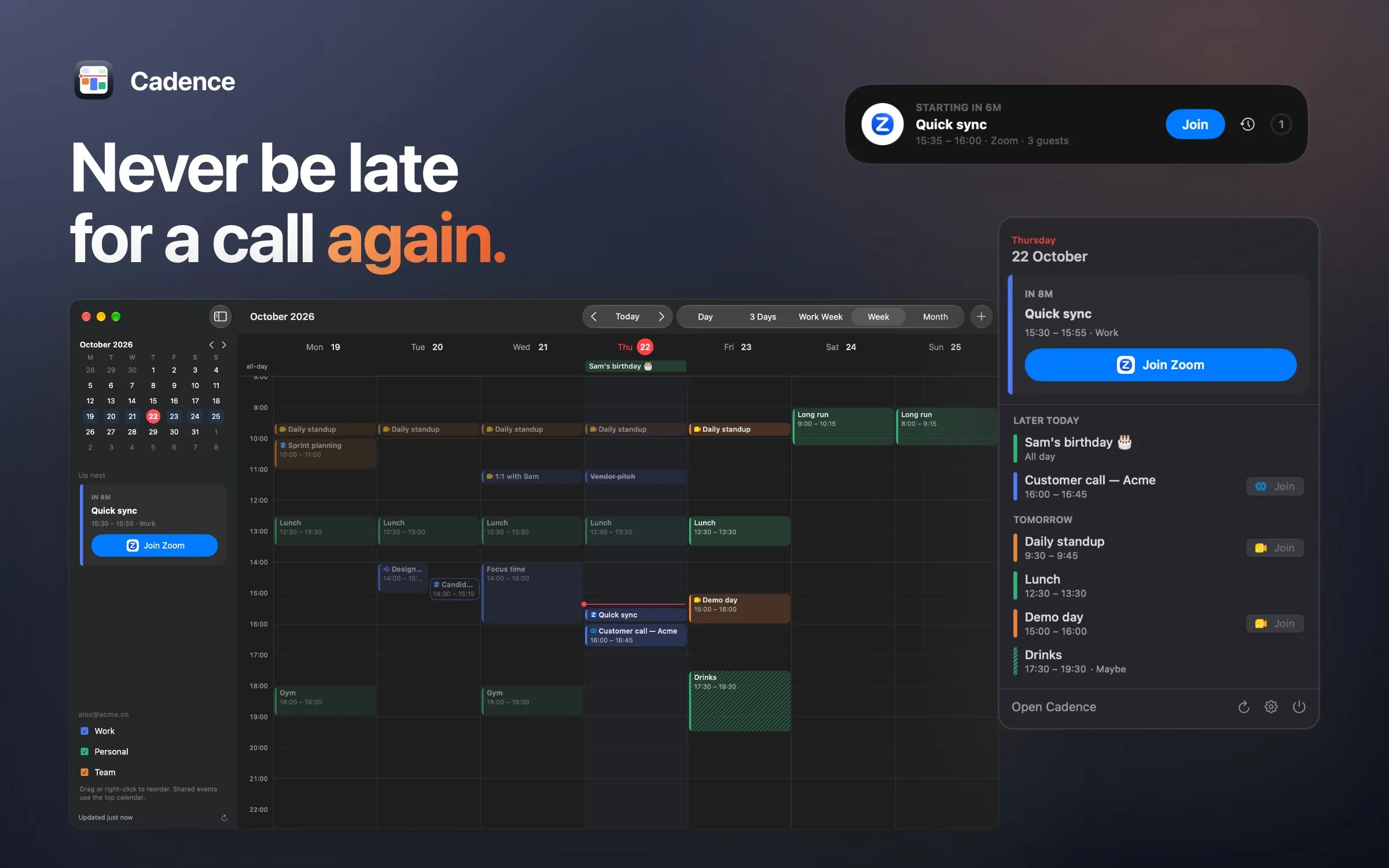
Cadence is a native macOS calendar app for people whose day is mostly video calls. It shows your Google Calendar events in a menu bar countdown and a week view, finds the Google Meet, Zoom or Teams link in each event, and alerts you with a one-click Join button when a call is about to start.
Read the Cadence privacy policy for exactly what it does with your data.
What it does
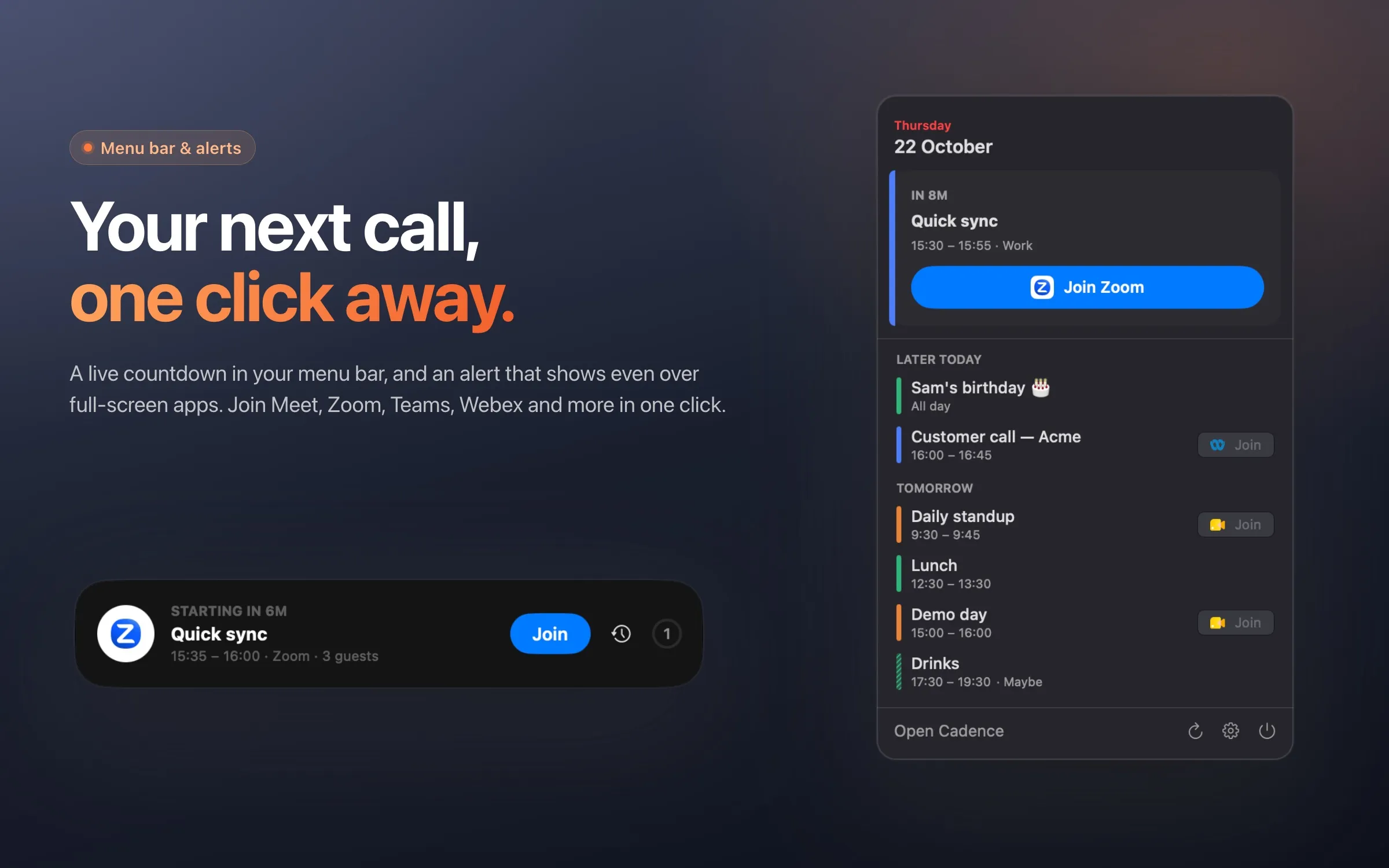
- Menu bar countdown: shows your next event, like “Standup in 4m” or “Design review · 12m left”. Click it to see today and tomorrow, with a Join button on every call.
- Finds call links: picks out Google Meet, Zoom, Microsoft Teams, Webex, Slack huddle and other links from the event’s conference details, location or description. Zoom and Teams links can open straight in their desktop apps.
- Meeting alerts: a banner at the top of the screen, shown even over full-screen apps, with Join, Snooze and Dismiss. Standard macOS notifications too.
- Join from anywhere: a keyboard shortcut joins your next call from any app.
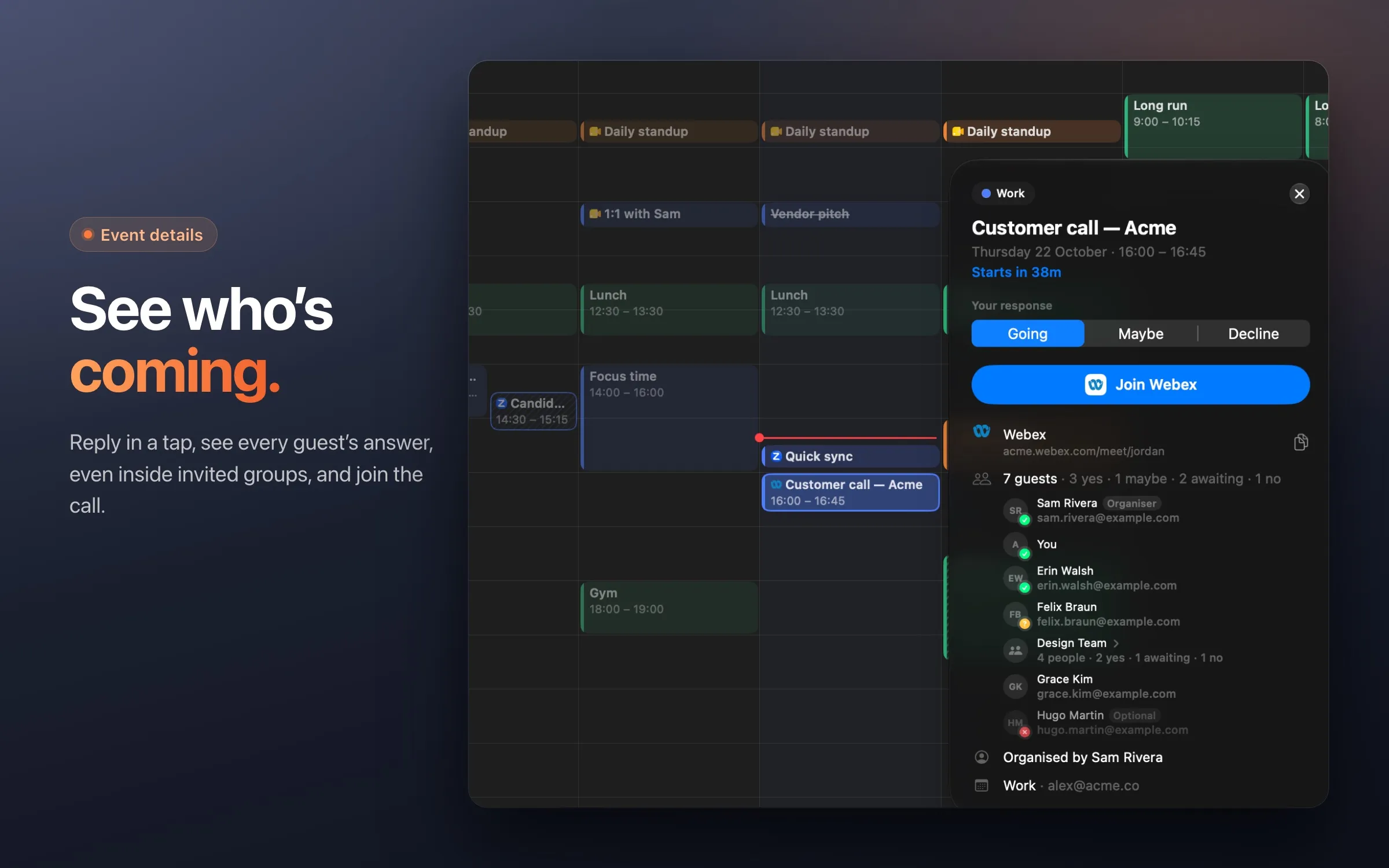
- Create and respond: add events (with a Google Meet link if you like), edit or delete them, and answer invitations with Going, Maybe or Decline. Invitations waiting on you stand out from events you’ve accepted.
- Invite guests: as you type, Cadence suggests people from your contacts, people you’ve emailed and your organisation’s directory, and your organisation’s Google Groups. Invite a group and you can see who’s in it.
- Find a time: as you add guests to an event, their busy times show beside yours, one lane per person (each member of a small group gets their own), named where they share their calendar with you. Cadence suggests times when everyone is free.
- See who’s coming: an event’s details list everyone invited with their reply, including who’s in an invited group.
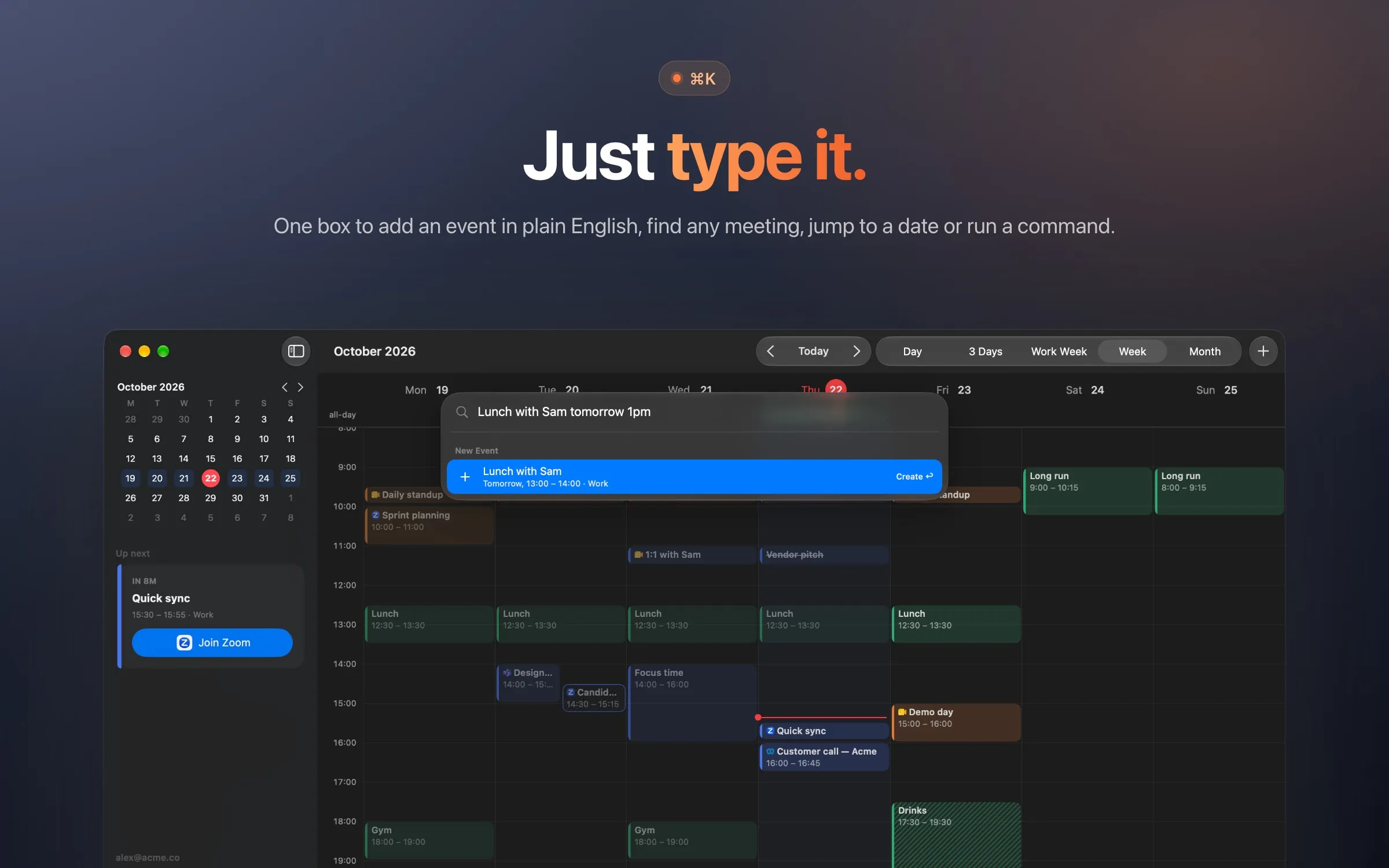
- ⌘K: one box to search your events, add one by typing it (“Lunch with Sam tomorrow 1pm”), jump to a date, or run a command.
- Calendar views: week, work week, 3-day and day views, a mini month, and per-calendar toggles, inspired by Fantastical and Notion Calendar.
How it uses your Google account
Cadence connects to Google Calendar so it can show your events. It asks to see your list of calendars (calendar.calendarlist.readonly) and to view and edit your events (calendar.events), plus your email address so it can label each connected account. To suggest guests, it can also read your contacts (contacts.readonly, contacts.other.readonly), your Workspace directory (directory.readonly) and your organisation’s Google Groups (cloud-identity.groups.readonly). These are read-only, only the matches for what you type are fetched, and nothing is stored. To suggest times when everyone is free, it can see when the guests you’re inviting are busy (calendar.events.freebusy): start and end times, plus who’s in a group. Where a guest shares their event details with you, it shows those events’ titles too. Guest lists, busy times and titles are kept in memory only, never saved.
- It reads your calendar list and the events in them, to display them and to find call links.
- It changes your calendar only when you ask: creating, editing or deleting an event, inviting guests, or answering an invitation. The only emails sent are Google’s invitations to guests you add.
- Your calendar data is fetched directly from Google to your Mac and stays on your Mac. There is no Cadence server, and no analytics or tracking.
- You can disconnect at any time in Cadence’s Settings, or from your Google Account permissions.
The privacy policy has the full details.
How it’s built
- App: SwiftUI and AppKit for macOS, with no third-party SDKs.
- Google sign-in: OAuth 2.0 for installed apps (PKCE with a loopback redirect), so you sign in on Google’s own page in your browser. Cadence never sees your Google password.
- Storage: sign-in tokens live in the macOS keychain. A cache of your events stays in the app’s folder on your Mac, so it opens instantly.
Disclaimer
Cadence is an independent app. It is not affiliated with, endorsed by, or sponsored by Google, Zoom or Microsoft. Google Calendar and Google Meet are trademarks of Google LLC.